
Gravel Calculator: How Much Gravel or Shingle Do I Need?
Work out how much gravel, shingle or decorative stone you need for a path, border or patio area. Measure the area, take off anything you are not covering, enter the depth and your supplier’s density, and the calculator shows the volume, the weight and how many bags to order. The calculation runs in your browser; nothing you type is sent anywhere.
Worked example (example figures only): a 5 m × 4 m area = 20 m². At 5 cm deep: 20 × 0.05 = 1 m³. If your supplier gives a density of 1.6 t/m³, that is 1 × 1.6 = 1.6 tonnes. In 850 kg bags: 1,600 ÷ 850 = 1.88, so you would buy 2 bags. Use your own supplier’s density and bag size — they vary.
Affiliate links: As an Amazon Associate I earn from qualifying purchases. It costs you nothing extra.
Prefer to order online?
Your local garden centre is the best place to compare in person. If you would rather have it delivered:

Images are AI-generated illustrations, not photos of the exact product. Check the product, price and availability on Amazon.
How the calculation works
- Area of each shape: rectangle = length × width; circle = π × (diameter ÷ 2)²; triangle = ½ × base × height.
- Areas you leave out (a path, a pond) are subtracted.
- Volume = net area × depth in metres.
- Weight = volume × the density you enter. Bags are rounded up only at the very end.
What this tool does not do
- It does not calculate a compacted sub-base for drives or paths that take vehicles.
- It does not assume a density or a bag size — both come from your supplier.
- It does not allow for stone that sinks into soft ground.
A practical guide to ordering gravel
Gravel and shingle are some of the easiest garden materials to lay, and some of the easiest to get wrong when ordering. The calculator above handles the arithmetic; this guide covers the decisions around it — how to measure, what to ask your supplier, and where people usually go wrong.
Measuring awkward areas
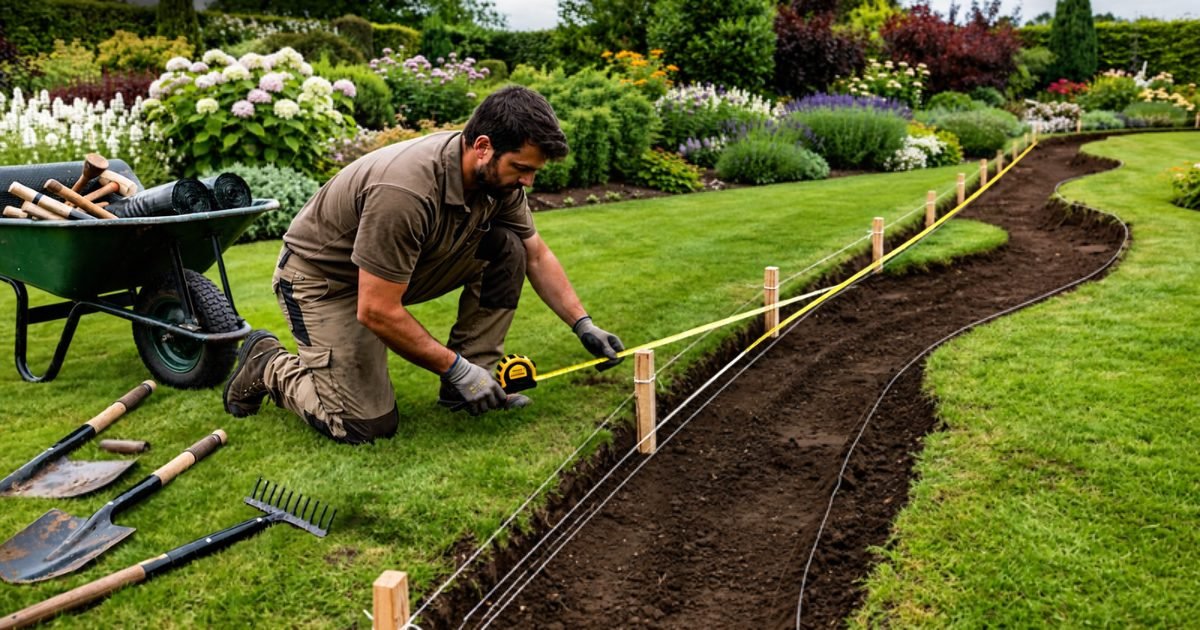
Very few paths and borders are perfect rectangles. The simplest approach is to break the area into shapes the calculator understands — rectangles, circles and triangles — and add them together. A gently curving path can be treated as a series of short rectangles. A round seating area is a circle; measure straight across the middle for the diameter.
Then take off anything you are not covering. A sundial plinth, a tree pit or a section of paving inside the area can be added as a “leave out” row so you do not pay for stone that has nowhere to go.
Depth: decide it before you order
The depth you enter has a bigger effect on the order than almost anything else — doubling the depth doubles the volume. The right depth depends on the size of stone and how the area will be used, so it is worth asking your supplier what they recommend for the specific product. A thin layer can let the base show through; a very deep layer of loose stone can be hard to walk on.
Why density matters — and why the calculator asks for it
Stone is usually sold by weight, but you measure your garden in area and depth. Density is the bridge between the two. It varies with the type of stone, the size of the pieces and how wet it is, which is why the calculator does not assume a figure. Your supplier will usually state it, or will tell you how much area a bag covers at a given depth — either lets you check the order.
Comparing quotes
- Compare like with like: some suppliers quote per tonne, some per bag, and bulk-bag weights differ.
- Check delivery: large bags may need kerbside access or a crane-lift vehicle, and some suppliers charge separately.
- Ask about colour and size: decorative stone from different batches can vary, so order enough in one go where you can.
What this guide does not cover
Driveways and paths that take vehicles usually need a properly designed and compacted base, and sometimes drainage. That is construction work rather than a materials calculation, and it is outside the scope of this page — speak to a contractor or your supplier.
Common questions
Should I order a little extra?
That is your call. The calculator gives the quantity the area needs and only rounds bags up at the end. Some people add a small margin for top-ups; the tool does not add one for you.
Do I need a membrane under gravel?
Many gardeners use a permeable weed-control membrane under decorative gravel. Whether it suits your area depends on what is underneath and what you are growing, so ask at your garden centre.
Why does my supplier’s coverage figure differ from the calculator?
Suppliers often quote coverage at a particular depth. Enter the same depth and their density, and the figures should line up. If they do not, check the units — centimetres versus millimetres is a common slip.
Can I use this for slate or bark?
For other loose materials, use the density your supplier gives. For bark and mulch, the mulch calculator is a better fit.
Want to see the stone before you buy? Find a garden centre near you — many stock bagged aggregates you can look at in person.
Related
More garden calculators
- Mulch calculator
- Grass seed calculator
- Turf calculator
- Topsoil calculator
- Raised bed soil calculator
- Hedge plant calculator
- Bulb planting calculator
- Lawn feed calculator
We are not horticulturists and do not claim to be. This page does one narrow job — arithmetic — shows its working, and leaves the product-specific figures to you and your supplier. If you find an error, tell us and we will correct it and say so.